








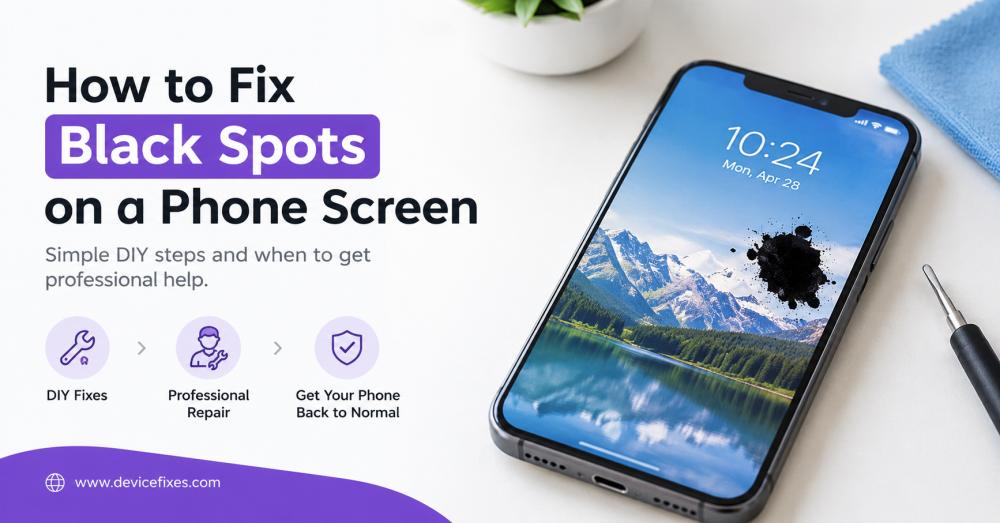
How to Fix Black Spots on a Phone Screen

Black spots on a phone screen can cause problems with reading text, viewing videos, or comfortably using apps. They could be a tiny black dot, dark patch, or large mark on the display. If you know why the issue is happening, you may be able to take a quick step to fix the problem, or you may need professional screen repair.
If you are curious about how to repair black spots on your phone screen, these home remedies may work before you consider repair.
DIY Methods to Fix Black Spots on a Phone Screen
Here are some methods you can do yourself to fix black spots on a cell phone screen.
1. Restart Your Phone
An occasional software fault may lead to display abnormalities. Turn the phone back on to refresh the operating system and see if the dark spot goes away. This won't fix actual damage to the screen, but will help eliminate a temporary software problem.
2. Check if the black spot is present in the screenshots
Create a picture of the screen and check it on another device. If the black spot shows up in the screenshot, it could be a problem with the application or program. If the spot only shows up on the physical display of your phone, it could be a problem with the display hardware.
3. Check and clean the screen
Use a soft, lint-free microfiber cloth to gently clean the phone's screen. This can clear up surface marks, dirt, or fingerprints that appear as black spots on the screen. Do not press too hard, put sharp objects on the screen, or pour liquid on the screen directly.
4. Make sure to inspect for recent damage
Consider if your phone was dropped, got wet, or was under pressure. When a phone's screen gets black when dropped, it could be due to faulty display layers. Likewise, moisture can destroy inner components and bring about dark spots.
Important: If the black spot is spreading, DO NOT press the area. If you have a "spreading black patch," it is likely that there is physical display damage that cannot be corrected by software.
When to Seek Professional Phone Screen Repair
The time period to look for professional phone screen repair is usually once the phone suffers any of the following issues:
If these "do it yourself" solutions don't help, a professional inspection might be needed. Below are common scenarios when you may want to have screen repair on your phone.
1. The Black Spot Is Getting Bigger
When a black spot occurs on a phone screen and is expanding in size over time, it could be a problem with the LCD panel. The affected area may spread out over time, affecting more of the display. If so, it may be necessary to replace the damaged screen assembly.
2. The screen has dead pixels or internal damage
If a phone's screen displays a small black spot, it's either a dead pixel or a broken piece of the screen. If the dot doesn't move in different apps and screens, it may be a hardware defect. The technician can check the display and will be able to decide what repair should be made.
3. Cracks or water damage to the screen of the phone
Dark spots on phone screens can appear due to various factors such as cracks, pressure damage, or exposure to moisture. The surface glass might be in good condition, but the inner glass may be scratched or broken. The professional technician can determine the depth of the damage and suggest an appropriate solution.
How to Prevent Black Spots on Your Phone Screen
- Use a protective phone case and screen protector.
- Don't drop or put heavy objects on the phone.
- Don't let moisture or high temperatures come into contact with the device.
- Don't press too forcefully on the display.
- If dark spots develop or start to get bigger, ask for expert help.
Final Thoughts
The first step to learning how to remove black spots from a phone screen is to determine the cause. Rebooting your phone, looking at screenshots, and clearing the display screen may be helpful to remove simple problems. If black spots continue to appear or grow, however, it could be a sign of hardware damage that needs expert care.
In the case of a dark patch, dead pixels, or a spreading black mark on the phone display, you need to visit DeviceFixes, which can assist you in arranging expert mobile phone repair service with ease, from pickup to delivery.
If you are finding a broader article on this topic, consider visiting our guide at: https://devicefixes.com/blog/spots-on-phone-screen/


