








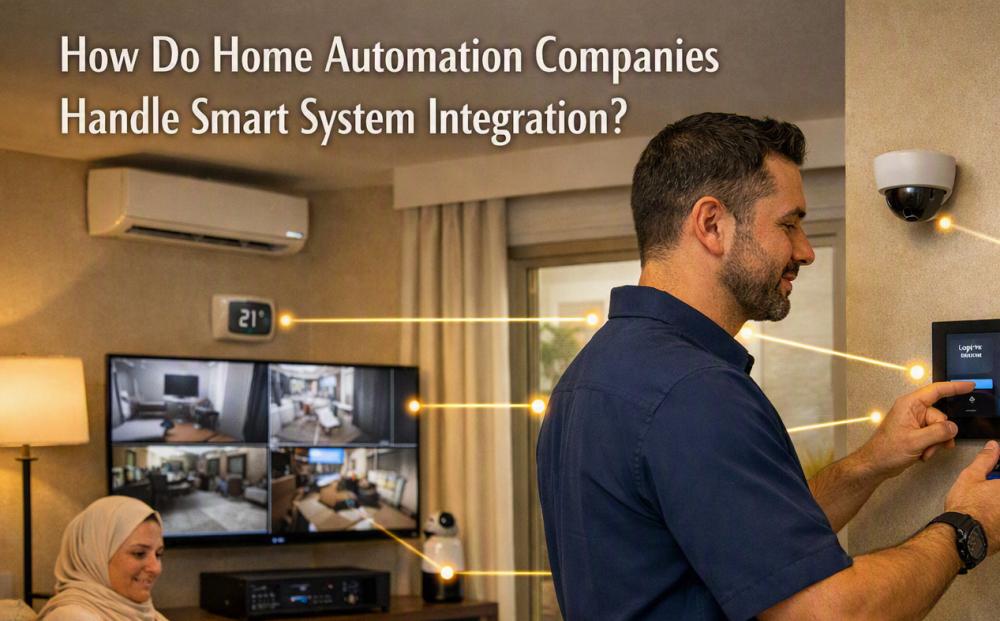
How Do Home Automation Companies Handle System Integration?

When people discuss smart homes, Home Automation Companies often focus on how different devices can work together instead of operating as separate products. A smart home may have lights, air conditioning, security cameras, door locks, curtains, entertainment systems, and sensors. System integration connects these devices so they can communicate and follow simple commands. Good integration also helps make the system easier to control and maintain.
What Does Smart Home Integration Mean?
Smart home integration means connecting several home systems through a common control setup. Instead of using a separate app or remote for every device, users can manage many functions from one interface.
For example, a person may press one button to turn off the lights, close the curtains, adjust the temperature, and lock selected doors before going to bed. These actions happen because the connected systems are designed to communicate with each other.
The level of integration depends on the devices installed and the needs of the home.
Starting With a Home Assessment
Integration usually starts with an assessment of the property. Professionals look at the size of the home, existing wiring, network setup, electrical points, and the systems that need to be connected.
They may also discuss how the residents use different rooms. A living room may need lighting and entertainment controls, while bedrooms may need temperature and curtain control.
This planning stage helps avoid compatibility problems later. It also gives the installer a clearer idea of what type of control system will work well with the property.
Checking Device Compatibility
Not every smart device can communicate with every other device. Compatibility is one of the main points considered during system integration.
Installers check communication standards, software support, control options, and other technical requirements before connecting devices. They may also review whether an existing product can work with a new system.
This is important when upgrading an older smart home. Replacing every device may not always be necessary. In some cases, existing equipment can remain in place if it can communicate properly with the new control system.
Connecting Different Home Systems
Once the compatible equipment has been identified, the different systems are connected. This may include lighting, climate control, security, audio and video, motorized curtains, and access control.
The connection can use wired communication, wireless networks, or a combination of both. The choice depends on the property, equipment, network conditions, and installation requirements.
A strong network is also important. Many smart devices depend on stable communication to receive commands and send information. Poor network performance can affect how quickly devices respond.
Creating Simple Control Methods
After the systems are connected, control methods are created. These may include wall panels, mobile apps, touchscreens, voice controls, remote controls, or automatic sensors.
The goal is to make everyday tasks simple. For example, a motion sensor can turn on hallway lighting when someone enters. A temperature sensor can provide information to the climate control system. A single scene can also control several devices at the same time.
These controls are normally adjusted to match the way people use the home rather than adding unnecessary functions.
Setting Up Automation Scenes
Automation scenes allow several actions to happen together. A "Movie" scene, for example, could lower the curtains, reduce the lights, and switch on the entertainment system.
A "Leaving Home" scene could turn off selected lights, adjust the air conditioning, and activate certain security settings.
Scenes are created through programmed rules. The installer needs to make sure the rules do not conflict with each other. For example, an automatic lighting rule should not repeatedly turn lights on when the homeowner has manually switched them off.
Testing the Integrated System
Testing is an important part of the process. Each connected device is checked separately and then tested with the other systems.
Installers may check whether lights respond correctly, whether sensors send the right information, whether the air conditioning follows commands, and whether control panels display the correct status.
They also test different situations that may happen during normal use. This can reveal small problems before the system is handed over to the homeowner.
Making Future Changes Easier
A well-planned system should allow changes as household needs change. A homeowner may later add new lighting, security devices, sensors, or entertainment equipment.
For this reason, system integration should not only focus on the current setup. The structure should leave room for future additions where practical.
Clear documentation can also help. Details about connected devices, settings, and control methods make future maintenance and upgrades easier.
Keeping the User Experience Simple
A smart home can contain many technologies behind the scenes, but the controls should remain easy to understand. Homeowners should not need technical knowledge to perform basic tasks.
Clear labels, simple scenes, and familiar controls can make a large difference. The best setup is often the one that works quietly in the background while giving residents direct control when they need it.
By carefully assessing the property, checking compatibility, connecting the right devices, testing the setup, and keeping controls simple, Home Automation Companies can create an integrated system that works as one connected home environment.


